Document sets
Keep related documents together and manage and share them as a whole, without anything slipping through the cracks
On a construction project, dozens of people work simultaneously with the same drawings, reports and calculations. The problem is not that the files are missing, the problem is that it is unclear which version applies at which moment, who has access to it and whether anything has changed in the meantime. With document sets in Prostream, you group related document versions into one combined whole. You decide who can access it, track the history and lock the set once it is final. That way you are not delivering loose files, but a controlled package.

The benefits of document sets


Keep related documents together
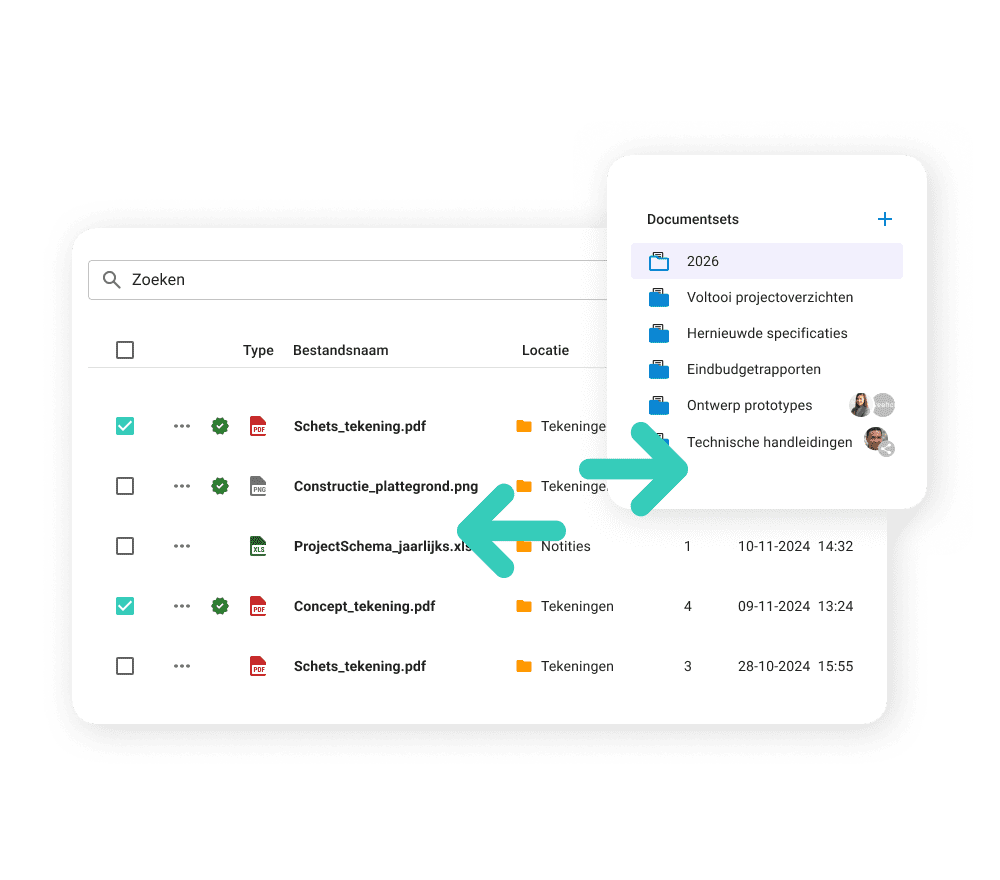
A handover, a permit file or a revision set always involves multiple documents that belong together. When those are scattered across folders, you are constantly searching for what belongs where and whether everything is still in place. With document sets you bundle the relevant versions in one overview, without moving the original documents. The same version can be part of multiple sets, so there is no need to copy or duplicate anything.
Share with the right people
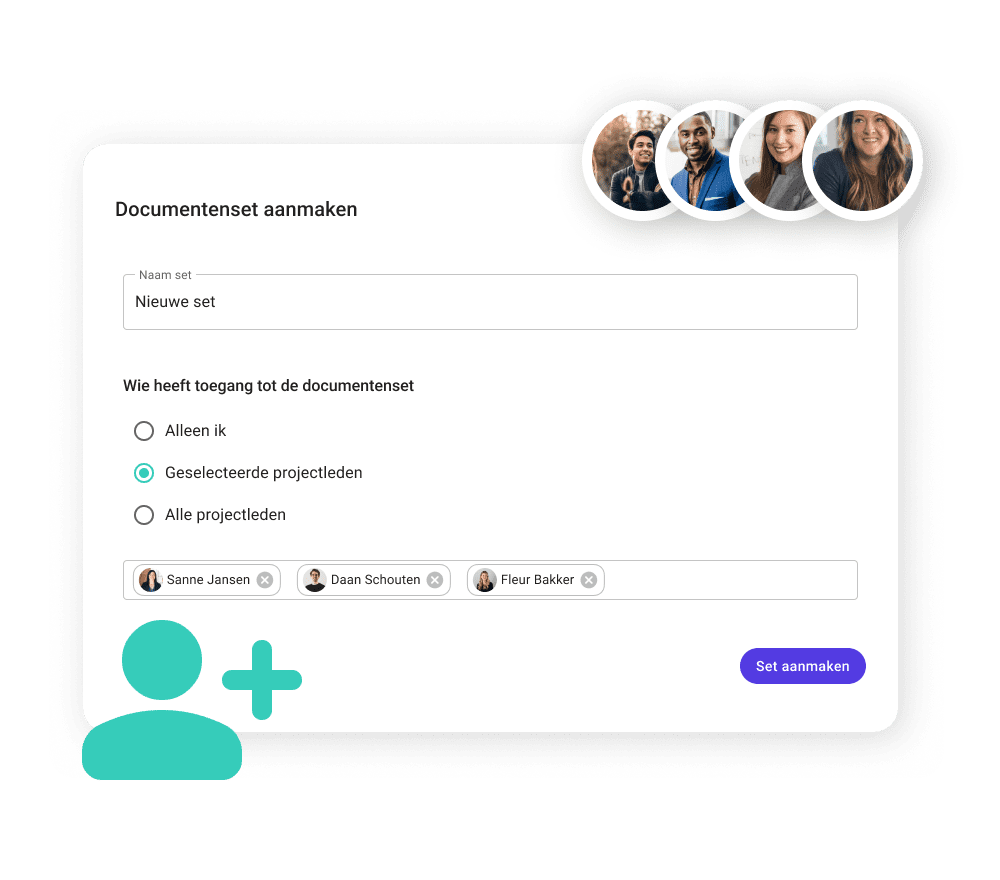
Not every document is for everyone. When creating a document set, you decide straight away who has access: only yourself, specific project members, or everyone in the project. Working with external parties such as subcontractors or suppliers, but want to keep them out of a particular set? Simply exclude external members. That way you share exactly what you want to share, with exactly the people who are allowed to see it.
Always keep track of changes
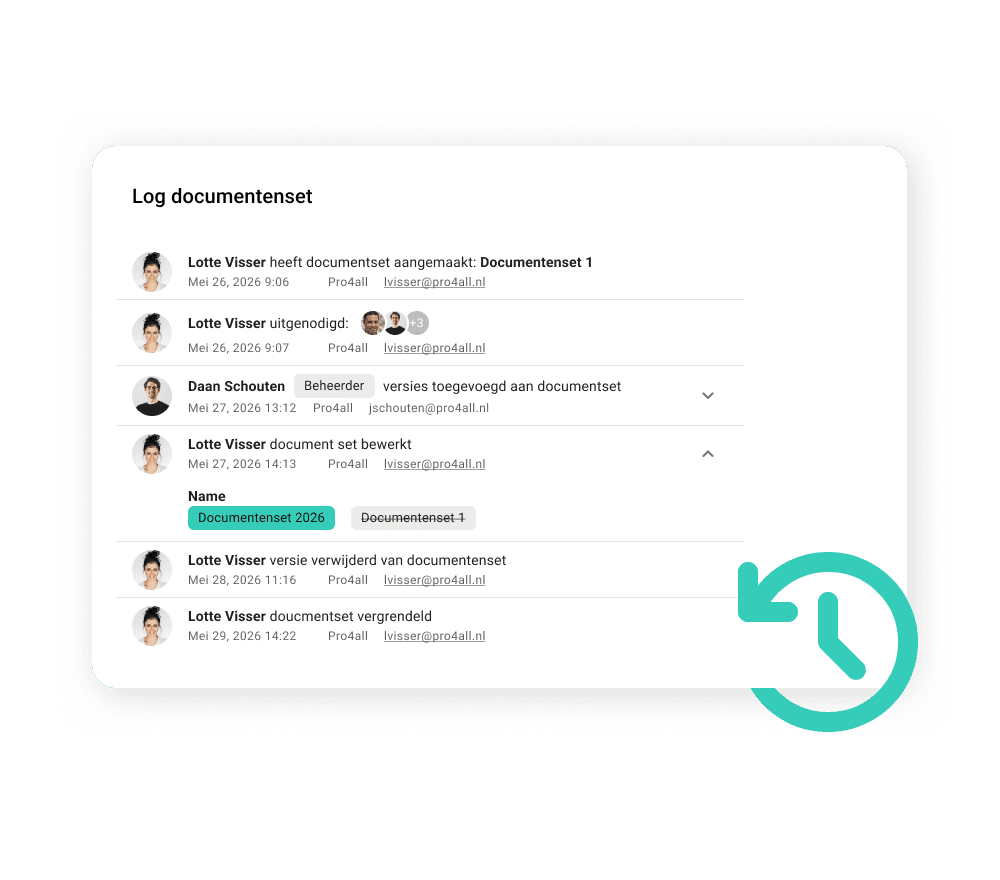
A set is rarely static. Versions get updated, documents are added or replaced. Prostream keeps the full history, so you can always look back at what was changed, when and by whom. If a version is removed from the set or the original document is deleted, the version remains visible in the set but in a disabled state, including who deleted it and when. Nothing disappears without a trace.
Lock the set when it is final
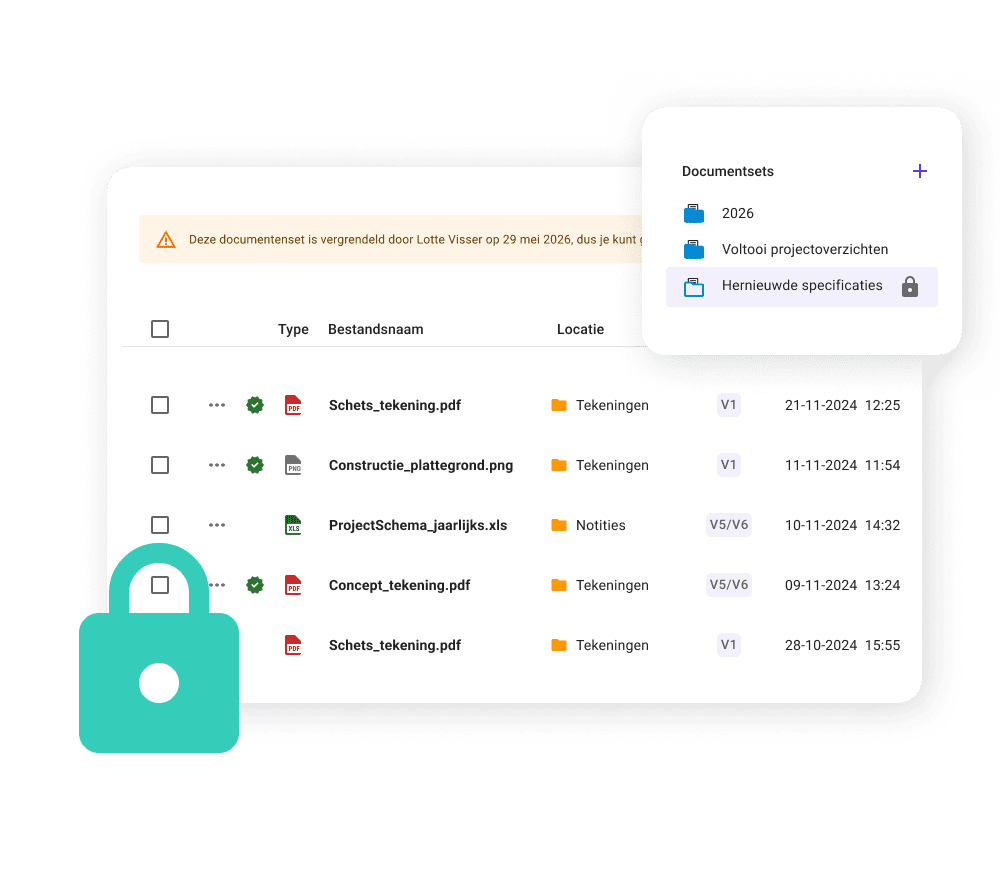
Is the set complete and approved? Then you lock it. From that moment on, no versions can be added or removed. The set is fixed, the contents are fixed, and everyone knows this is the definitive version. The creator of the set can unlock it again at any time if something needs to be adjusted.
answers to
Frequently asked questions about document sets
What exactly is a document set?
A document set is a curated collection of document versions that belong together, such as a handover file, a revision set or a permit package. The original documents stay in place; the set refers to the relevant versions. You can include the same version in multiple sets, and deleting a set has no effect on the original documents.
How do you create a document set?
More information about creating and managing document sets can be found in the knowledge base.
HEAR IT FROM THE PROFESSIONALS
Case studies

Heembouw says goodbye to local drive and fully commits to Prostream


‘Digital drawings are easy to share, which is also where the biggest risk lies. A good management system prevents proliferation’
Kevin van den Tillaart, project manager at Vgib


“Everything is accessible to everyone, everywhere.”
Nicole van Est, work planner at Van Mourik Bouw B.V.
Knowledge base
Want to know more about document sets and how they work? You can find all the information in our knowledge base.
Popular features
Used by customers

Prostream API
With the Prostream API, easily connect your systems and automate workflows. Create customised solutions that grow with your business.

Projects
With projects in Prostream, you keep a grip on all your projects. Collaborate with internal colleagues and external partners, without the hassle of loose documents or scattered information.

Logging
Thanks to the log in Prostream, you have full insight into the history of documents. All changes and actions are recorded.

Document tasks
Create document tasks so everyone immediately knows which actions they need to take with a document, or which information is for them.
Over 102,000 project professionals work with us.