Smart views
Always the right document overview, without having to search again and again
In projects with many documents, it often takes unnecessary time to repeatedly search for the right information. With smart views, you ensure that relevant documents are automatically brought together in one clear overview.
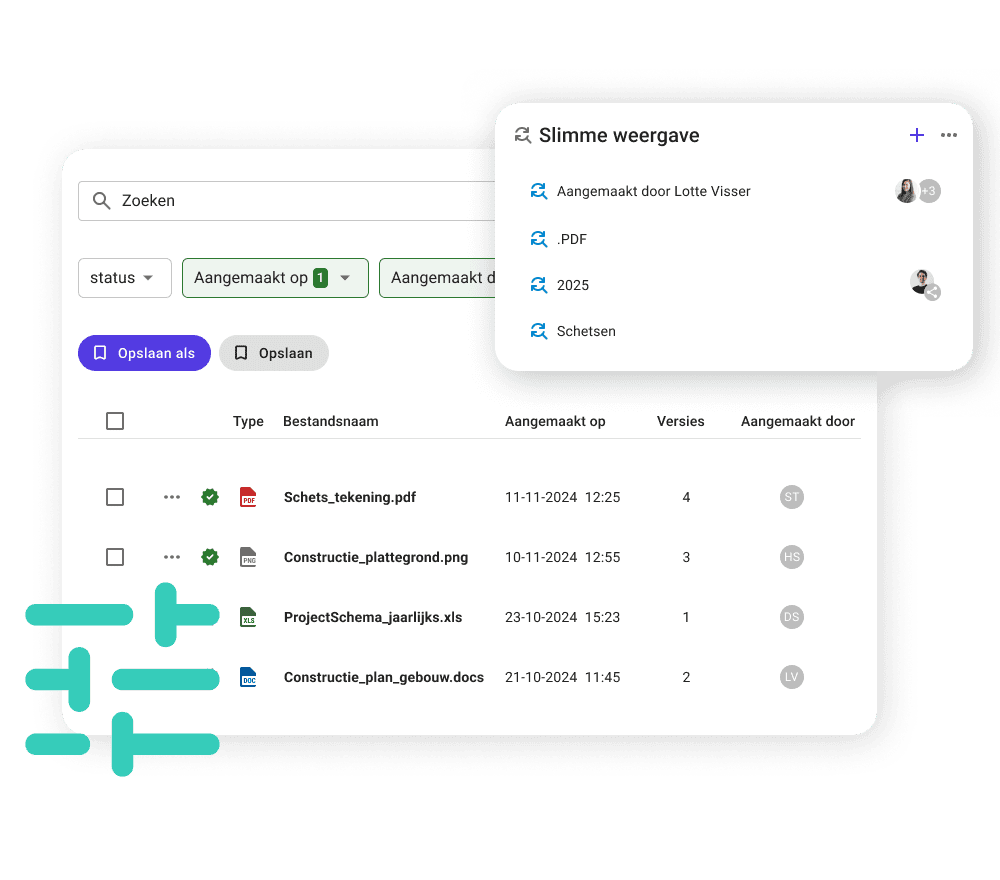
You set your own filters based on metadata, adjust columns and sorting, and save this as a smart view. Share the overview with colleagues and receive notifications when changes occur. This way, you always work from an up-to-date document overview, without extra actions.

The benefits of smart views


Never search for the same documents again
With smart views, you create document overviews based on metadata and content. All relevant documents automatically appear in a single overview that stays up to date as your project evolves. Use this, for example, for drawing lists and easily share them with colleagues and external project partners.

Targeted filtering on all available metadata

With smart views, you can find documents based on all available metadata, such as project, date, type, or other characteristics. This helps you keep large volumes of documents manageable and work in a focused way with exactly the selection you need, without having to manually sort or filter every time.
Customizable document overviews
Within a smart view, you configure the document overview based on the information that is relevant to you. This way, the overview adapts to your workflow and focus.
Collaboration with shared views and notifications
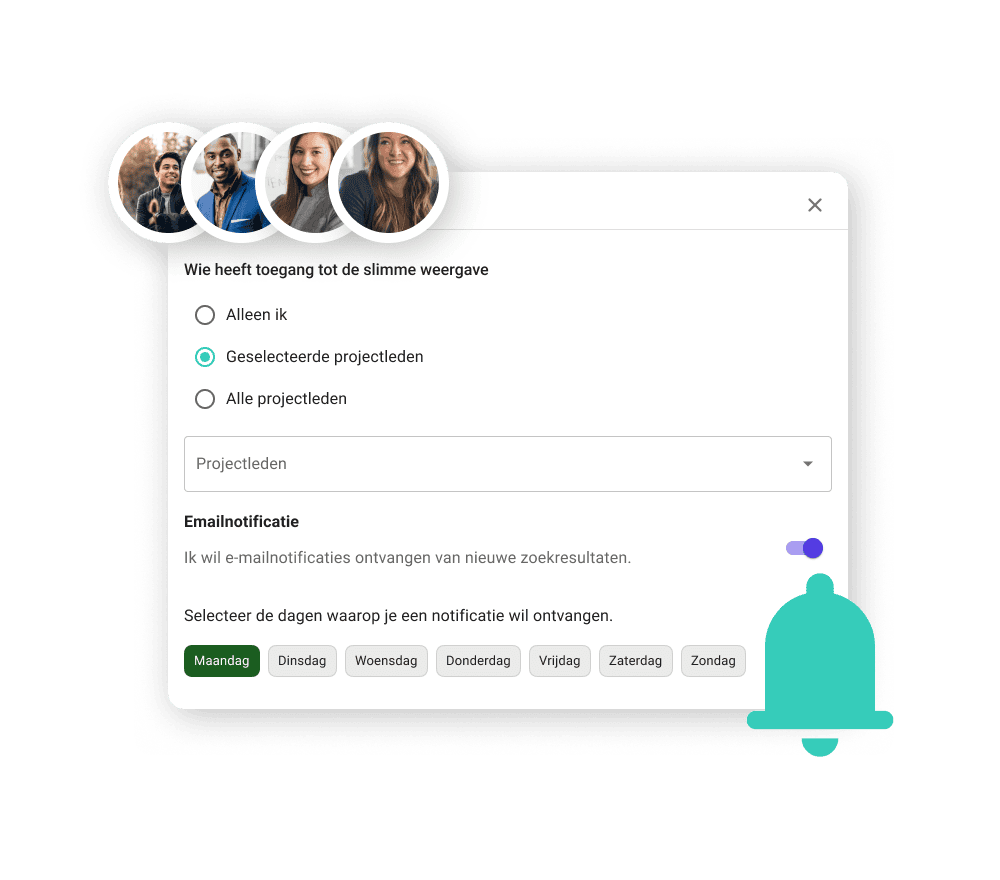
You share smart views with other users within the project and agree on which document overview you work from. By setting up email notifications, you stay informed about changes. You can also set notifications for colleagues, so you work together from the same up-to-date information.
Answer to
Frequently asked questions about smart views
What is a smart view in Prostream?
Smart views are a way to display documents in an overview based on criteria you define yourself. You decide which documents you want to see by filtering on metadata and content, and use this overview as a fixed starting point for your work within a project.
How does a smart view differ from a single search query?
A one-time search is used to find something once. With a smart view, you set up a document overview that you can continue to use. The overview stays up to date as documents are added or changed, so you don’t have to search again and again.
Can I create multiple smart views?
Yes. You can create multiple smart views within a project, for example for different tasks, phases, or roles. Each smart view can have its own filters, columns, and sorting.
Can I share a smart view with other users?
Yes. When saving, you decide who gets access to the smart view: only yourself, selected project members, or all project members. This allows multiple users to work from the same document overview.
Can other users edit my smart view?
No. Users with access to a smart view cannot modify the original view. They can, however, save it as their own copy and adjust it to their personal preferences.
Can I set up notifications for a smart view?
Yes. You can set up email notifications for a smart view and decide when they are sent. Users with access to the view can manage their own notification settings.
What happens when documents in the project change?
When documents are added or changed and meet the defined criteria, they automatically appear in the smart view. This ensures the document overview always reflects the current situation within the project.
Hear it from the professionals
Case studies

Heembouw says goodbye to local drive and fully commits to Prostream


“Everything is accessible to everyone, everywhere.”
Nicole van Est, work planner at Van Mourik Bouw B.V.


‘Digital drawings are easy to share, which is also where the biggest risk lies. A good management system prevents proliferation’
Kevin van den Tillaart, project manager at Vgib
Knowledge base
Want to know more about smart views, and how exactly it works? You can find all the information in our knowledge base.
Popular Features
Used by customers

Document tasks
Create document tasks so everyone immediately knows which actions they need to take with a document, or which information is for them.

Preview files
Thanks to a powerful preview function, you can immediately see the content of a document on all your devices.

Smart views
Create an always up-to-date overview of relevant documents within your project or organisation.

Metadata
Thanks to metadata, you navigate effortlessly through huge amounts of documents, drawings and data. You will find exactly what you need and have instant access to the full context of a file.
As many as 102,000 project professionals work with us.